Settings
Settings
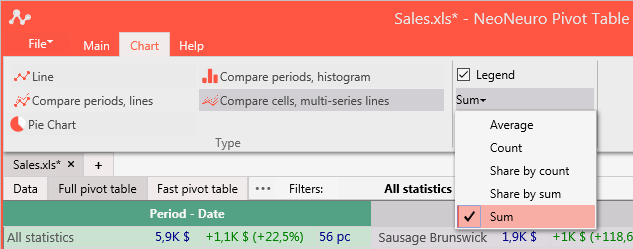
Hides or shows the legend of the diagram.
Ratio
Sum
Chart values are sums (i.e., money, weight).
Count
Chart values are counts of rows (instances).
Average
Chart values are averages.
Share by sum
Chart values are shares by sums in percent.
Share by count
Chart values are shares by counts in percent.
Period
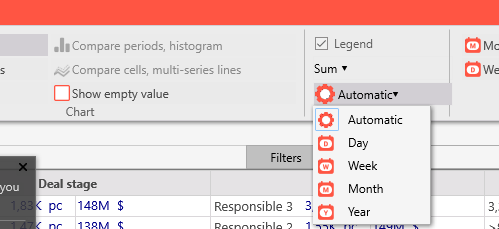
Select period for the chart. Possible values are:
· Automatic
By default, application tries to select the most convenient periods for visualization. It can be changed by hand to the following options:
· Day
· Week
· Month
· Year