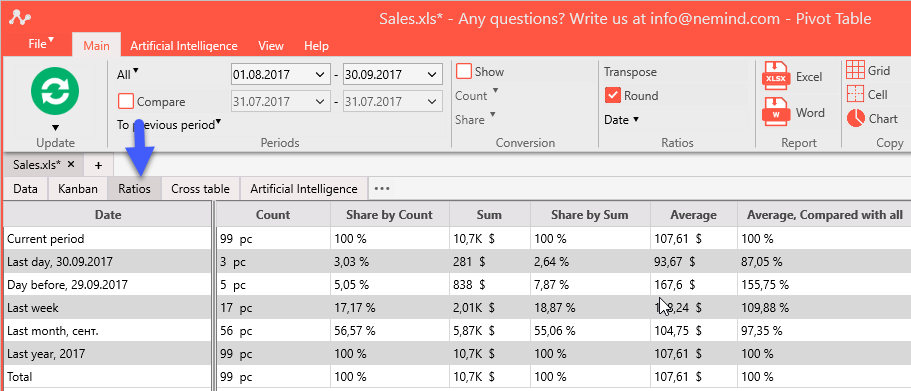
The tab allows creating classic Pivot Tables quickly.
Columns store ratios and rows store cells of the Canban. Open tab “Kanban”, select column “Region” and open “Ratios” again:
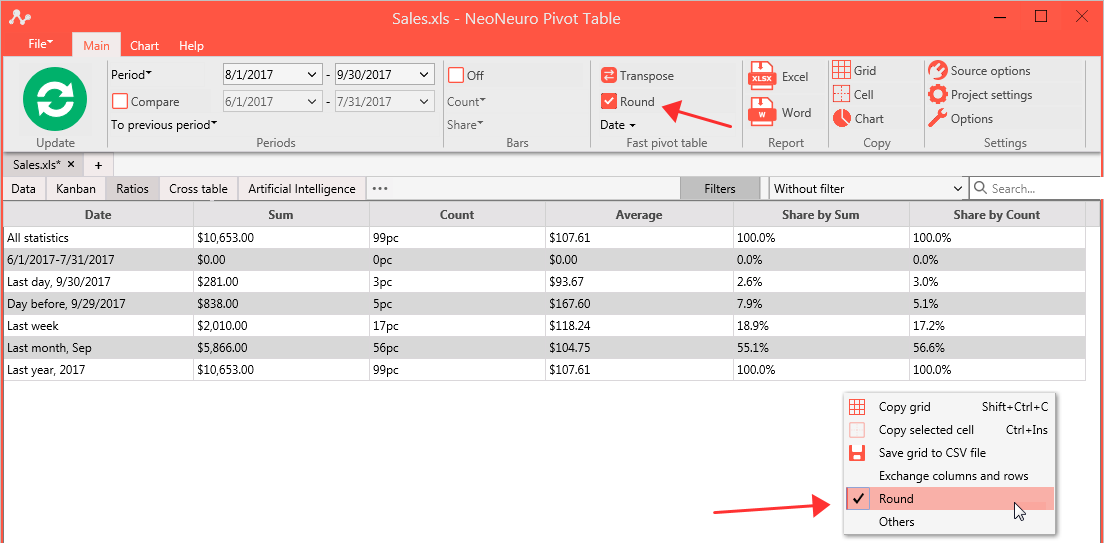
Copy this table into Excel or other spreadsheet application via clipboard. If you need clear values without currency and percent signs, unselect in Ribbon Main -> "Ratios" Tab -> Round or select it in context menu:
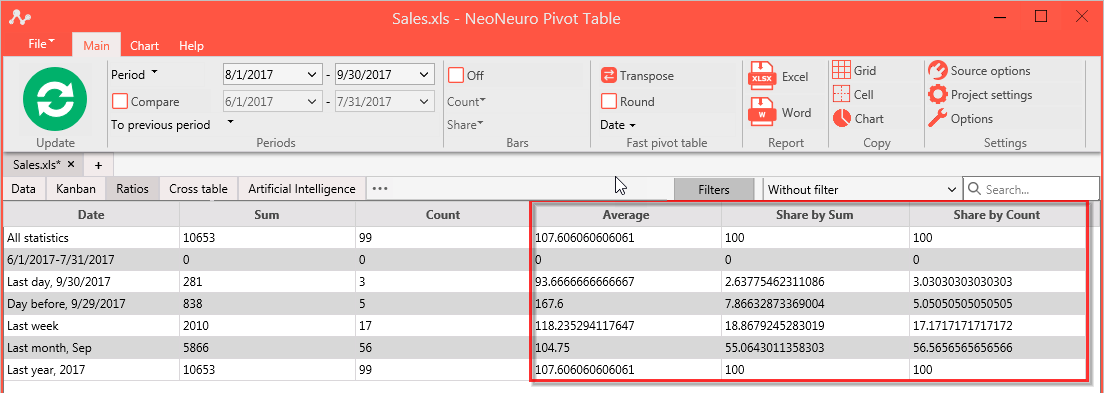
Clear values provided without rounding, which lacks readability, but allows using the exact values in further calculations.
Use “Transpose” context menu to exchange ratios and cells in columns and rows.